How to make your dog dance with AI, from one photo to a finished video
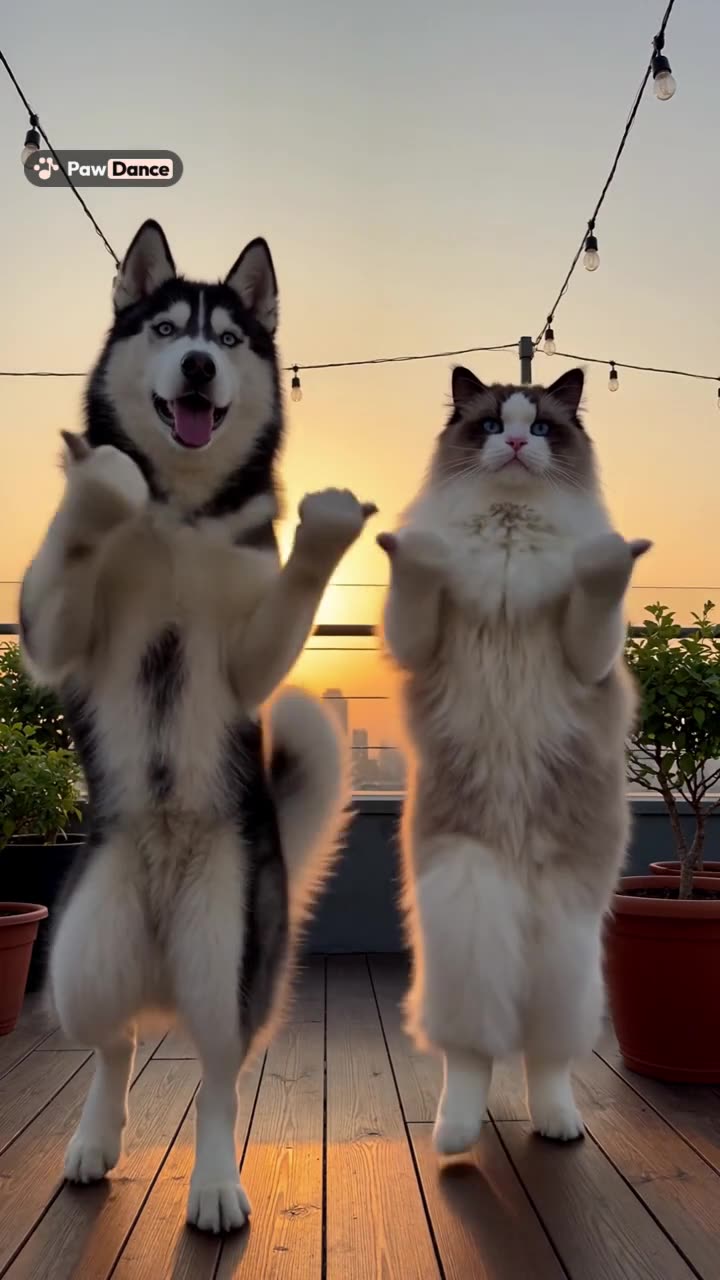
To make your dog dance with AI, take one clear full-body photo of your dog in good light, choose a dance (a ready-made template or a clip of a person dancing), and let an AI video generator copy the moves onto your dog. On PawDance this takes about 5 to 10 minutes, and the video keeps the original music.
Most guides for an AI dog dance stop there, and then people wonder why their golden retriever came out with six legs. The photo you pick and the dance you pair it with decide most of the result, so this guide spends its time on those two choices, then covers what to do when a video comes out wrong and how to post it without trouble.
What an AI dog dance video is
An AI dog dancing video is made by motion transfer. The video model takes a reference dance (usually a person, sometimes another animal) and a photo of your dog, then draws your dog doing those moves frame by frame. Your dog does nothing. If yours treats “sit” as a suggestion, this is good news.
Real dog dancing does exist. Musical canine freestyle is a sport where dogs and owners perform choreographed routines to music, and the American Kennel Club describes how trainers build it from obedience and tricks, then chain moves together to a beat. One handler in that piece had been dancing with her dog for about two and a half years. An AI dog video gets you the look of it this afternoon, and you can teach your dog a real spin later if you both enjoy it.
Step 1: Take a photo the AI can work with
The model can only animate what it can see. If a leg is hidden behind a couch cushion, the AI has to invent one, and invented legs are where most odd results start.
What works best:
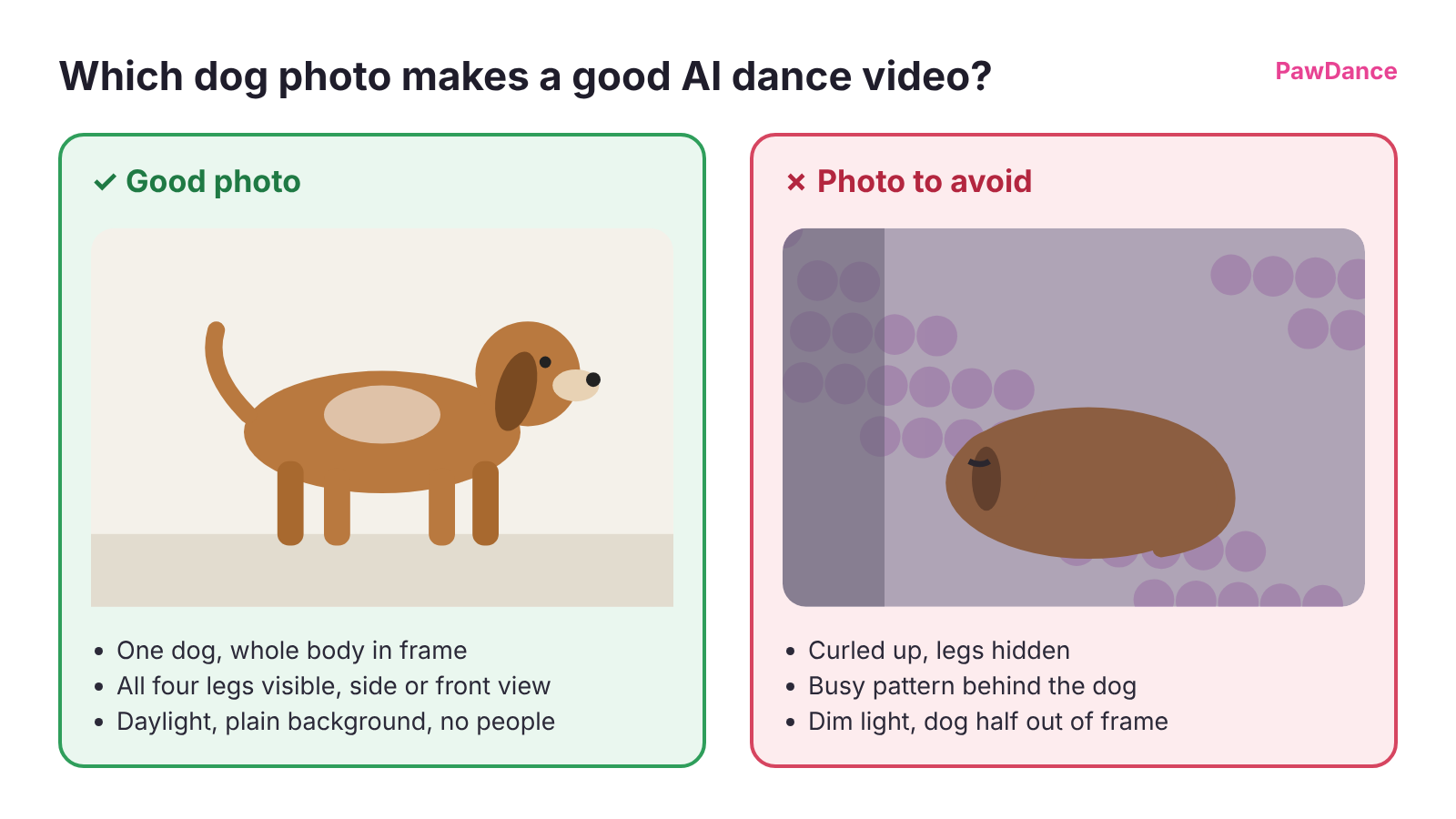
- One dog per photo. Take a separate photo of each dog if you want a group dance.
- The whole body in frame, nose to tail, with all four legs visible.
- A front or side view. A dog standing or sitting up works better than a dog curled into a ball.
- Good, even light. Daylight from a window or outdoors in shade is ideal.
- No people in the shot, including your hand holding the treat.
- A plain background, so the dog’s outline is easy to read.
The AKC’s photo tips line up with this: shoot at your dog’s eye level, use natural light, use favorite toys or treats to get their attention, and stop when you see signs of stress. A treat held just above the phone gets the head up and the legs straight, and it is the cheapest way to improve the result.
If you plan to make more than one video, save 3 to 5 photos of the same dog as a pet profile on the My Pets page. More angles give the model a better idea of your dog’s markings and face, so later videos look more like your dog.
Step 2: Pick a dance your dog’s body can pull off
You have two options. A template is a dance someone has already prepared, with the reference video, the scene and the music set up, so you only add photos. Your own dance video lets you use any clip you have the rights to, such as a trend you saved from TikTok or a video of you dancing in the kitchen.
Match the moves to your dog’s shape
The model stretches your dog to fit the reference dancer’s poses. A dachshund asked to copy high kicks will get very long legs for a few seconds, which can be funny once and odd every time after that. As a rule of thumb:
- Short-legged dogs (dachshunds, corgis, Frenchies) look most natural in dances where the action is in the upper body: head bobs, paw waves, side-to-side sways and small bounces.
- Big dogs handle full-body bounces, turns and arms-up finishes well.
- Any dog struggles with fast footwork and floor work, because there is a lot of leg to track in very little time.
Two PawDance templates make good first tries. The Can I Ride dance is 10 seconds of paw waves, hand rolls and a small bounce side by side, a gentle start for any dog. The Ba Ba Ba duo dance runs 27 seconds, with a side-by-side bounce, a solo for each pet and an arms-up finish. Both work with two dogs, two cats, or one of each.
If you use your own dance clip
A clip that is easy for the model to read gives a cleaner AI dog dance. On the use your own dance video page, PawDance takes MP4 or MOV files between 3 and 30 seconds, up to 10 MB, with 1 to 4 dancers. The clips that work best have:
- A steady camera with no cuts, zooms or transitions.
- Every dancer’s full body in frame for the whole clip.
- Dancers who stay apart and keep to their spots.
- Big, clear moves.
Trim a long clip to its best part before uploading. Shorter dances also cost less.
More than one dog
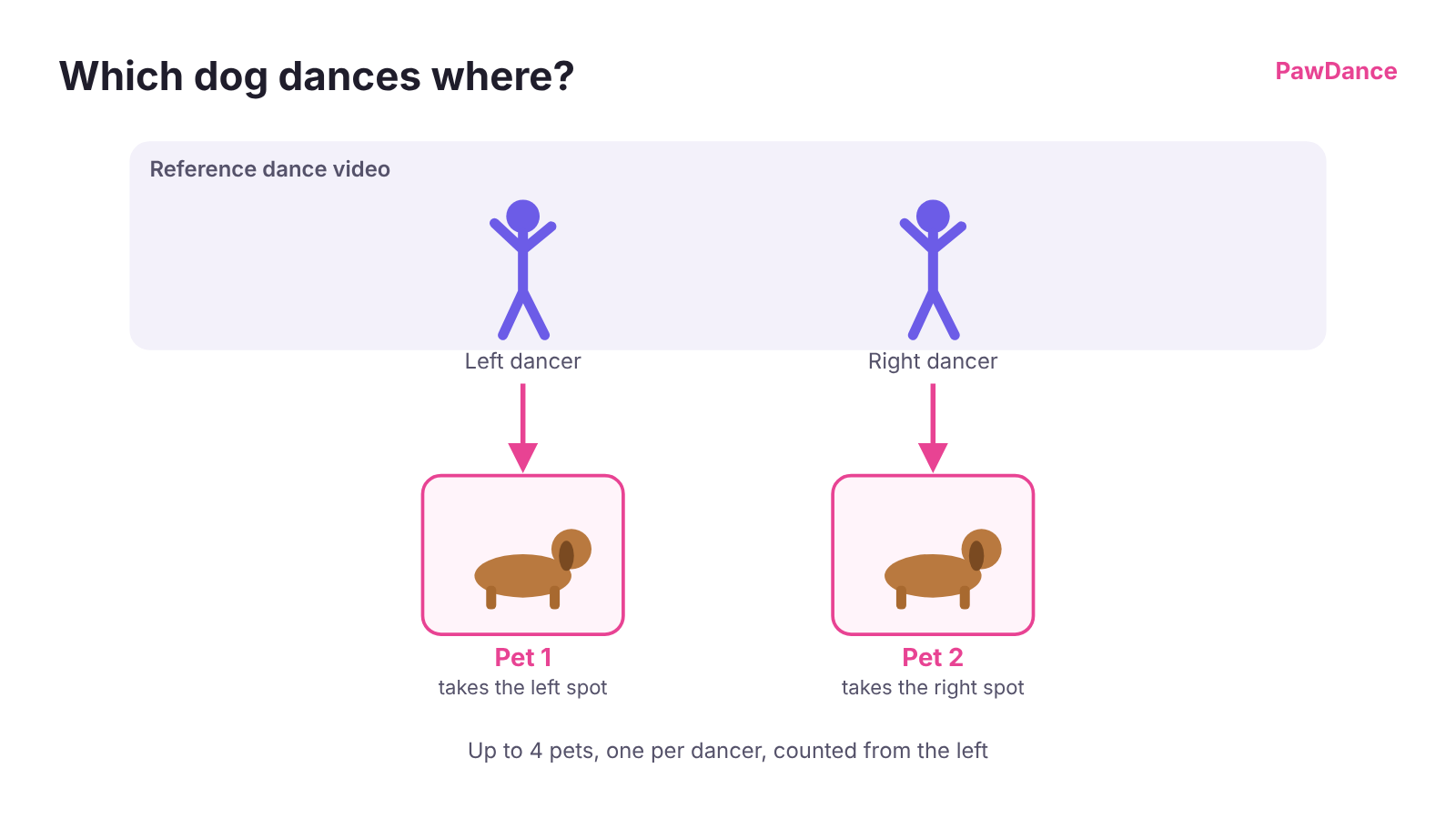
You can put up to 4 pets in one video, one per dancer. Pet 1 replaces the leftmost dancer, pet 2 the next one, and so on. If your two dogs have different builds, give the bouncier part to the dog with longer legs.
Step 3: Generate the video and check it
Add your photos, press Generate, and wait about 5 to 10 minutes, depending on the length of the dance. The finished video is 720p HD and keeps the template’s or clip’s original sound.
Watch it once all the way through before you share it. Look at the legs during the busiest moves, the markings on the face and back, and the edges of the frame. If something is off, PawDance gives every account one free redo of a finished video within a day of making it, and if a video fails to generate, it goes back to your account automatically.
When the AI dog dance comes out wrong
Most problems trace back to the photo or the reference clip. These are the usual ones and what tends to fix them.
| What you see | Likely cause | What to try |
|---|---|---|
| Extra, missing or melting legs | Legs hidden or crossed in the photo, or very fast footwork in the dance | A new photo with all four legs clearly visible, or a slower dance |
| Spots or coat color drift during the video | A single photo in mixed or dim light | A daylight photo, or a pet profile with 3 to 5 photos |
| The face looks like a different dog | Face turned away, blurry or small in the frame | A sharp photo with the face toward the camera |
| The dogs swapped places | Photos added in the wrong order | Pet 1 is always the leftmost dancer |
| A hand or person appears in the video | A person was in the photo | Crop the person out or retake the photo |
| The dog shrinks or drifts out of frame | The reference dancer is far from the camera or moves around a lot | A clip where dancers stay in their spots, full body in frame |
If a redo with the same photo shows the same problem, change the photo before you try again.
Posting your dancing dog video
Two things are worth doing before you post.
Check the music rights. Only upload dance videos you made or have permission to use. The creator still owns the original clip and its music, so on TikTok or Reels it is usually best to post your video and add the trend’s sound from the app’s own library.
Turn on the AI label. Every PawDance file is marked as AI-generated, and platforms such as TikTok ask you to say so too. TikTok’s policy requires creators to label AI-generated content that contains realistic images, audio or video, and it has a label you can turn on when you post. Your followers will know a beagle cannot moonwalk, but the label keeps your account in good standing.
Can I make my dog dance with AI for free?
PawDance has no free trial. The first video costs $4.99 (once per account), then $9.99 per video, or less in packs of 3 or 5. One video covers one dance up to 30 seconds, and videos you buy never expire.
Other dog dance AI options include general video tools such as Kling, Higgsfield and Kapwing, which can also do motion transfer. Some offer limited free credits that change often, so check their current terms. With those tools you usually find and trim the reference clip yourself, write prompts, and edit the result. PawDance is built for pets: you add photos, pick a dance and press one button.
Frequently asked questions
How do people make AI videos of their dog dancing?
They use an AI video generator that does motion transfer. You give it a photo of your dog and a dance (a template or a video of a person dancing), and the model redraws your dog performing those moves. The photo matters most: one dog, full body, all four legs visible, good light.
Is there a free way to make my dog dance using AI?
Some general AI video tools offer limited free credits, though the terms change often and you do more of the setup yourself. PawDance has no free trial, but the first video is $4.99 and a failed video is refunded to your account automatically.
Can I use a dance video from TikTok or Instagram?
Yes. Save the video to your phone, then upload it on the "use your own dance video" page. Only use videos you made or have permission to use, since the creator owns the original clip and its music.
How many dogs can dance in one video?
Up to 4, one per dancer in the reference video. Pet 1 takes the leftmost dancer's place, pet 2 the next one, and so on. You can mix dogs and cats in the same video.
Will my dog's dance video keep the music?
Yes. The video keeps the original sound and length of the template or the clip you uploaded.
Can my dog learn to dance for real?
Yes. Musical canine freestyle is a real sport with routines set to music, built from obedience and trick training. It takes patience and regular practice, and it is a good activity if your dog enjoys learning tricks. The AI version is for the days you just want the video.
More guides
Or go straight to the AI dog dance and cat dance generator and pick a dance.