Viggle AI alternatives for pets: what happened when we gave Viggle a cat
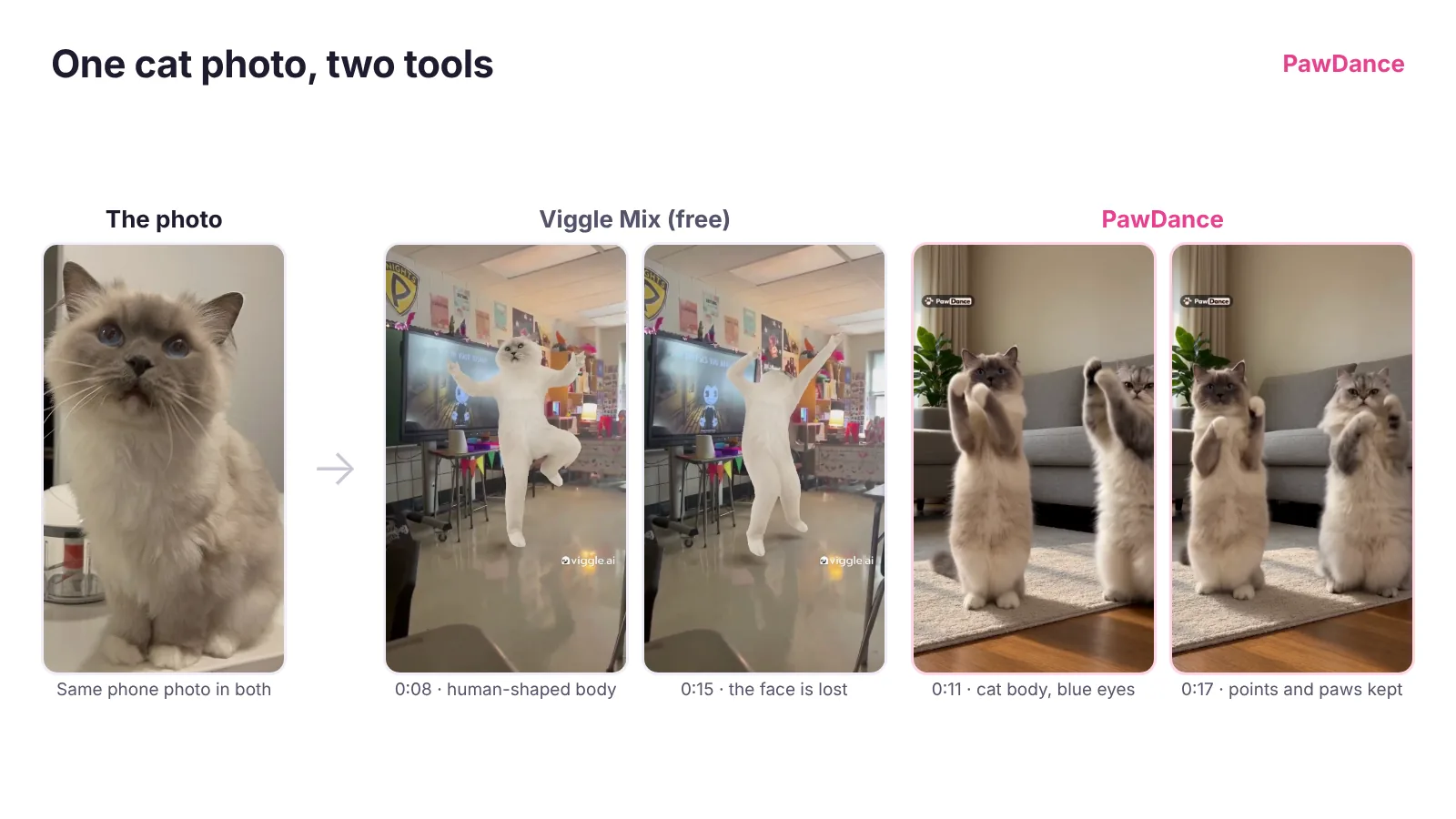
The best Viggle AI alternative depends on what you are animating. For people, cartoon characters and memes, Viggle is hard to beat. For a dog or cat, pick a tool that keeps the animal’s body: PawDance (made for pets, with dance templates), Kapwing’s Dancing Pet tool, or Kling Motion Control if you want to do the setup yourself.
A quick disclosure before anything else: we make PawDance, so this is a comparison written by one of the tools in it. The FTC’s endorsement guides say a connection like that should be disclosed clearly, and it also tells you how much salt to bring. To keep it honest, every claim about another tool below comes from that tool’s own pages, and the Viggle result comes from a test we ran ourselves.
We gave Viggle a cat. Here is what came back
On November 13, 2026 we made a free Viggle account and used Mix, the feature Viggle sums up as “Put anyone into any video.” A new account came with 5 free credits, and one Mix cost 3 of them. For the photo we used the same phone picture of a cream colourpoint cat that went into our own Ba Ba Ba example video, so both tools started from exactly the same cat. For the dance we picked Viggle’s popular “Bendy Dance In Class” template.
The video was waiting in our library about five minutes later: 32 seconds long, 720 by 1280, with a viggle.ai watermark that moves around the frame. Here is what we saw, frame by frame:
- The cat got a human body. Viggle copies a person’s skeleton, so the cat stood up on two long human legs and waved two human arms. It reads as a person in a cat costume, not a cat dancing.
- The colours faded. The darker points on the ears and face mostly washed out to plain white fur.
- The face came and went. Around 0:15, mid-spin, the head turned into a blurry lump before the face came back.
- The background stayed. Mix keeps the template’s own scene, so our cat danced in someone else’s classroom, with the people from the original clip walking past.
None of that is a bug. Viggle is built to swap a character into a person’s movements, and the stretched, costume-like look is exactly why its pet clips are a meme of their own. If that is the joke you are after, Viggle does it well and the free credits cover a try. If you want your cat to look like your cat while it dances, you need a tool that keeps four legs, a tail and the right fur, which is what the image at the top of this page shows side by side. The PawDance frames on the right come from our Ba Ba Ba example, a different dance, made from the same photo.
Viggle AI alternatives for pet dance videos, compared
These are the tools that take a still photo plus a dance and turn it into a video, which is the job people usually mean when they look for apps like Viggle AI. Prices and limits are from each tool’s own site as of November 2026, and they change often, so check before you pay.
| Tool | Made for | What you give it | Free option | Paid from |
|---|---|---|---|---|
| Viggle (Mix) | People, characters, memes | One photo, plus a template or your own clip | Daily free credits; Mix videos are watermarked | Pro, $7.99 a month |
| PawDance | Dogs and cats | One photo per pet (up to 4), plus a template or your own 3 to 30 second clip | None | $8.99 per video, no subscription |
| Kapwing Dancing Pet | Pets, inside a video editor | A pet photo plus your own dance video under 10 seconds | 10 one-time AI credits; watermark, 720p | Pro, $16 a month |
| Kling Motion Control | Any character | A character image plus an action video | Free plan with no monthly credits | Standard, $6.99 for the first month |
| DomoAI | Stylised video (anime, cartoon) | A photo plus a motion video | Not stated on its pricing page | Basic, $9 a month billed yearly |
1. PawDance: made for dogs and cats
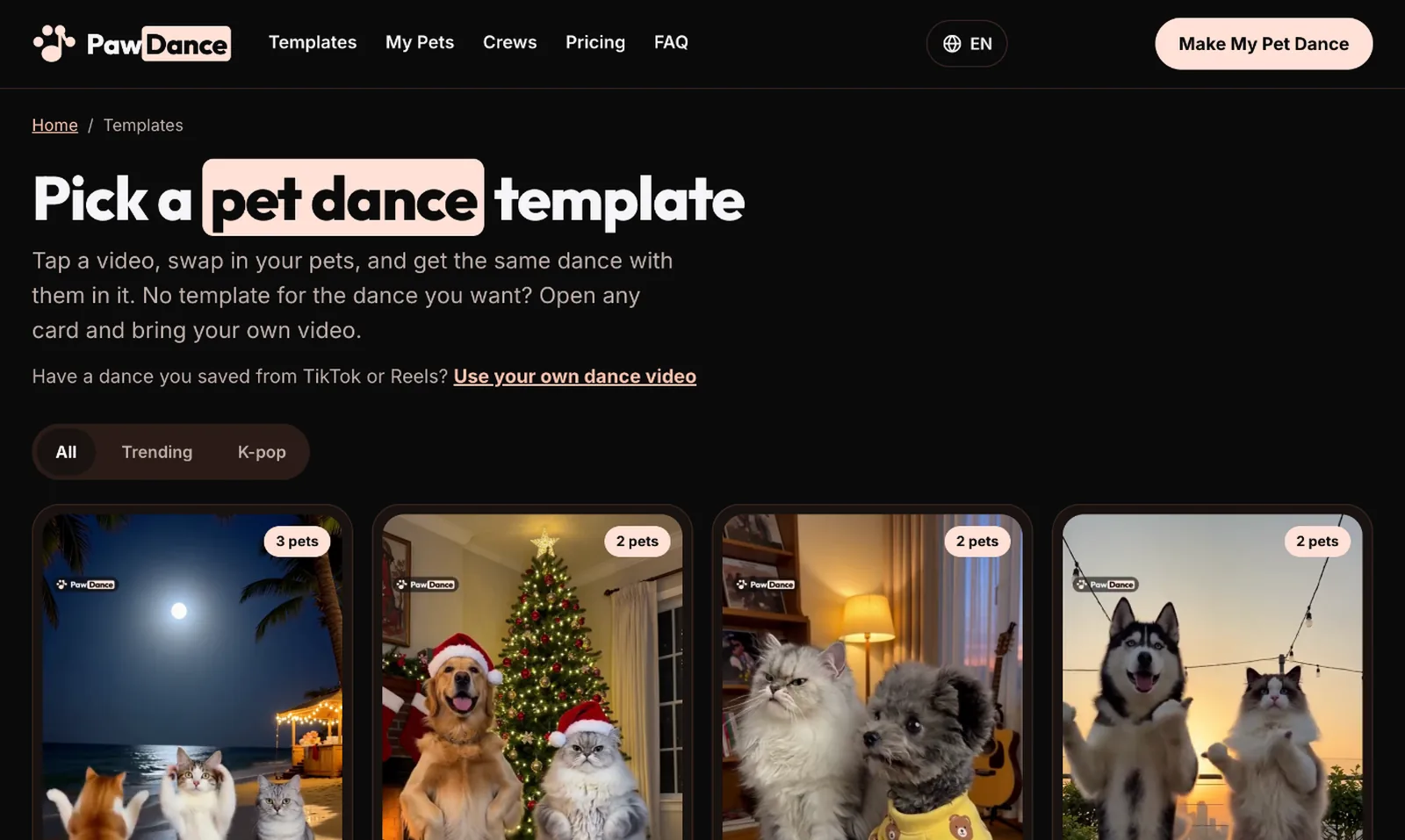
You pick a dance from the trending pet dance templates, add one photo of each pet, and get the same routine back with your pets in it, keeping each pet’s own shape and fur. The video keeps the dance’s original sound, so the moves land on the beat, and it is ready in about 5 to 10 minutes at 720p. Templates already come with the right number of dancers and a scene, which is most of the setup the other tools leave to you. If the dance you want isn’t there, the AI dance video generator page takes any clip from 3 to 30 seconds with up to 4 dancers.
The trade-offs: there is no free trial, it does pets only, not people, and output is 720p. One video is $8.99, packs of 3 and 5 bring the price per video down, and every account gets one free redo of a finished video. The videos are made with the Kling 4.0 model, the same family that powers the next two options.
2. Kapwing Dancing Pet: if you already edit in Kapwing
Kapwing’s Dancing Pet AI page says it takes a clear photo of your pet and a short dance video, and uses Kling Motion Control to make your pet follow the moves. The page asks for the dance as a video file under 10 seconds, so plan on bringing your own clip. Its strength is everything after: captions, music, trimming and combining clips in the same editor. The free plan gives 10 one-time AI credits and exports with a Kapwing watermark at 720p, and Pro is $16 a month.
3. Kling Motion Control: the most control, the most setup
If you are happy to find your own dance clip and fiddle with settings, Kling Motion Control takes a character image and an action video and maps the movement onto the character. Kling’s own guide gives a 3 to 30 second range for the motion clip on VIDEO 2.6, and charges per second: 9 credits a second on VIDEO 3.0 Standard and 12 on Professional. The Standard plan is $6.99 for the first month with 660 credits, which works out to roughly 70 seconds of VIDEO 3.0 Standard. Kling doesn’t describe pets as a supported subject, so expect to retry and to write prompts for the background yourself.
4. DomoAI: for an anime or cartoon look
DomoAI’s Character to Video tool animates a photo character from a motion video you upload, and its other tools restyle footage as anime or cartoon. That makes it the pick if you want your dog as a cartoon rather than as a dog. It has no pet-specific feature. On its pricing page, Basic is $9 a month billed yearly for 600 credits, and Basic and Standard make Character to Video clips of 5 or 10 seconds.
Which one should you use?
- Your own dog or cat, looking like themselves, with no editing: PawDance.
- A pet clip you will caption and cut in a full editor: Kapwing Dancing Pet.
- Lots of clips, and you don’t mind the setup: Kling Motion Control, priced per second.
- A cartoon or anime version of your pet: DomoAI.
- A person, a cartoon character, or the human-shaped cat meme: stay with Viggle.
Getting a better pet dance video from any of these
Every tool on this list starts from a single photo, and the photo decides more than the tool does. One pet per photo, the whole body in frame with the legs visible, the face sharp and turned toward the camera, and daylight rather than a dim room. Our colourpoint test photo was taken on a counter next to a food chopper, and it still worked, so it doesn’t have to be a studio shot. The full checklists, with real phone photos rated good and bad, are in how to make your dog dance with AI and the AI cat dance guide.
Two more things apply everywhere. If you upload a clip you found on TikTok or Reels, the creator owns it and its music, so use clips you made or have permission to use. And when you post the result, turn on the platform’s AI label, since a dancing cat is realistic enough that people will ask.
Frequently asked questions
Is there something better than Viggle AI?
For people, cartoon characters and memes, Viggle is one of the strongest tools around. For pets, a tool that keeps the animal’s body usually looks better: in our test, Viggle rebuilt a cat on a human skeleton, while PawDance kept it a cat. Kapwing’s Dancing Pet and Kling Motion Control are other options.
Does Viggle AI work with dogs and cats?
It accepts a pet photo, but Mix copies a person’s movements. In our test the cat stood on two human legs, its darker markings faded, and its face blurred mid-dance. That works for a meme, less so for a video that looks like your pet.
Why is Viggle AI taking so long?
Viggle’s free plan runs one generation at a time, and its paid plans list faster video generation as a benefit, so free users wait the longest. Our free 32-second Mix was ready in about five minutes.
Is there a free Viggle alternative for pet videos?
Kapwing’s free plan includes 10 one-time AI credits, with a watermark and 720p exports, and Kling has a free plan without monthly credits. PawDance has no free trial: one video is $8.99, and a video that fails is refunded to your account automatically.
Can I use my own dance video instead of a template?
Yes, with all of them. PawDance takes clips from 3 to 30 seconds with up to 4 dancers, Kapwing’s Dancing Pet asks for a clip under 10 seconds, and Kling’s guide gives 3 to 30 seconds on VIDEO 2.6. Use clips you made or have permission to use.
Can two pets dance in the same video?
On PawDance, yes: up to 4 pets, one per dancer. Viggle lists Mix as a single-character swap, and Kapwing’s Dancing Pet page asks for one pet photo, so for several pets you would make separate clips and combine them.
More guides
- How to make your dog dance with AI, from one photo to a finished video
- AI cat dance: how to get your cat dancing (even the one who hides from cameras)
- Christmas dancing dog (and cat) videos, made from one photo of each pet
Or go straight to the AI dog dance and cat dance generator and pick a dance.